HTML Editor
The browser-based and feature-rich editor provides a familiar user interface - much like Microsoft Word and similar online editors - for creating and updating web pages. The editor works with Microsoft Internet Explorer 6 or later and web browsers using the Gecko engine (e.g. Firefox on Linux).
Metadata
For each new document, add optional and required metadata (custom document properties) to automatically categorize a document. Metadata can also filter search results.
Announcements
Quick way to publish and display announcements.
Image Gallery
Manage and share produt images, event photos and more.
Flash
Play Flash (.swf) files.
Links
Lists links/bookmarks to sites.
Shared Content
Publish content on multiple pages in one step. Content can be logos, banners, news and more.
Most Popular
Shows a list of the most accessed documents from all sites.
Version History
Monitors who accesses documents and the changes made, it improves efficiency and accuracy.
Check Out/Check In
Version control feature that gives employees a point-and-click way to "check out" a document to prevent others from working on the same document at the same time. When done with revision, the employee "checks in" the document.
Approval Workflow
Employees can customize a multi-level approval process for new and updated documents. They can set up, for example, a workflow that requires two mangers' approval before moving forward, making changes or deleting.
Video (“Corporate YouTube”)
Turn your intranet into a "corporate YouTube" filled with videos such as training, marketing, presentation, executive reports, meetings and anything else to share with employees anywhere, anytime. The video streaming component works like YouTube in that it uses Flash video (.flv files). Flash video player is a browser plug-in allowing employees to view the cideo on their web browsers without downloading anything other then having the most current Flash plug-in.
Tag Clouds
Tags represent topics related to the current content. Tags usually appear as single words listed alphabetically. The more frequently used tags appearing larger than the less frequently used ones. Web 2.0 sites like Flickr or del.icio.us use tag cluds to help visitors quickly determine what's popular.
Office Integration
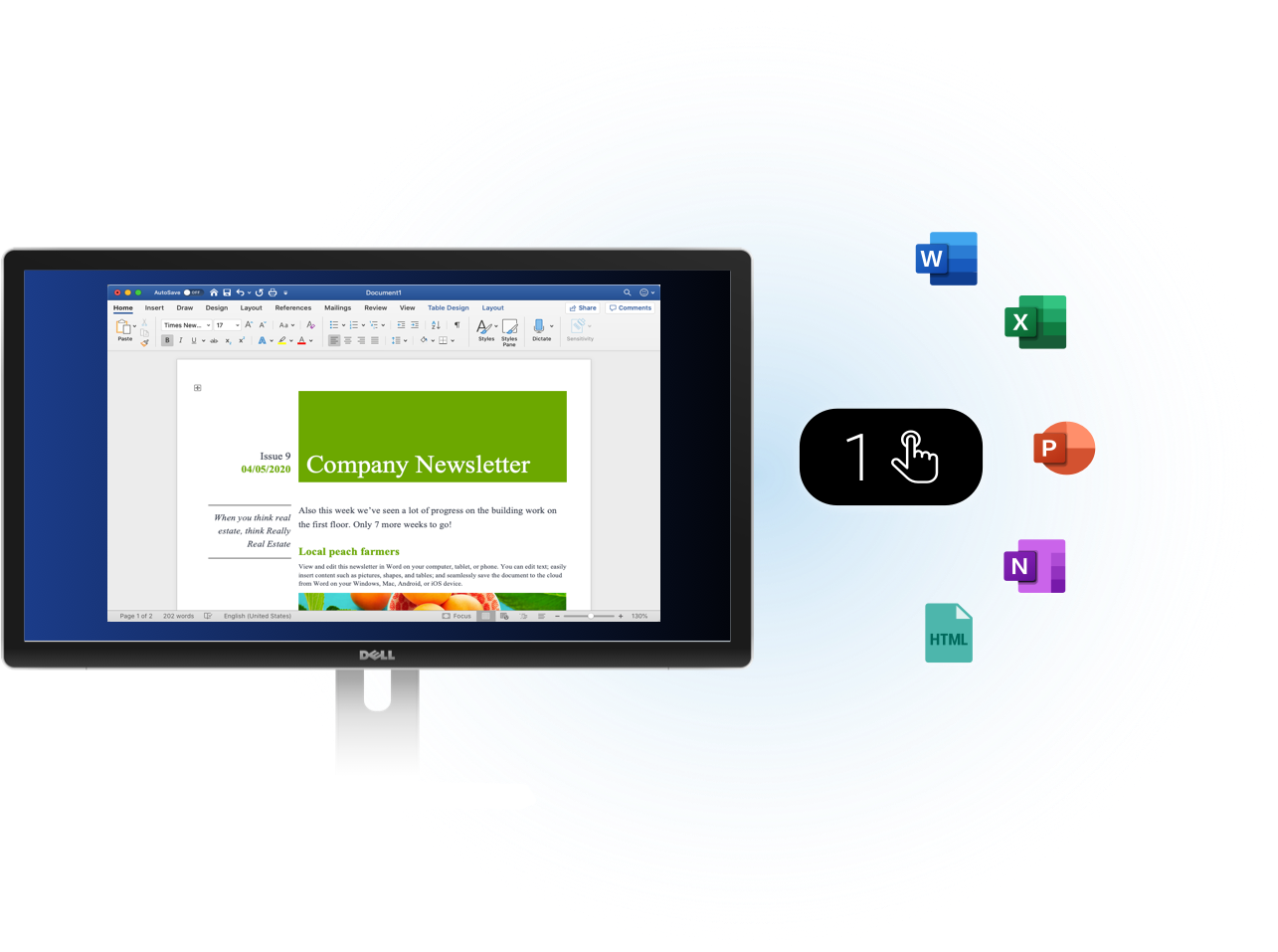
Update Word, Excel, and PowerPoint files with one click instead of going through the process of downloading, saving, editing, and uploading the document. This compels users to update documents more frequently. This requires no client-side installation.
Drag & Drop Publishing
Publish or download multiple files between web and local folders using Drag & Drop.
Web Folders
"Open as Web Folder" allows the user to open any document category from the intranet as a web folder for easy access.
Site Map
Lists all the pages of the site in an organized way.
Glossary
Shows the glossary terms from all sites as an index.
Related Information
Provides links to related articles and pages for quick click access to more information.
External Web Page View / IFrames
Display external web site, document or multimedia within the company's web page.
Web Spider
Automatically checks competitor, supplier and other web sites for updates.
|
Employee Directory
Employees have instant access to other employee contact information so they can connect with each other. The directory can locate employees by skill, position and location to help when employees don't know the name of the person they need to reach.
People Finder
Find people and contact information by name, location or department.
Organization Chart
Employees can get a visual picture of the company's workforce structure. The Organization Chart is automatically updated based on information from the Directory. No work is needed to create or maintain the chart.
Direct Reports
Lists employees who report to the user whose profile you view.
Birthdays
Lists recent birthdays.
New Hires
Lists new employees.
Anniversaries
Lists employee celebrating another year with the company.
|
Blogs
A blog is an online journal where entries appear from newest to oldest. Managers use internal blogs to post events, share personal views about products, services or vision for the corporation and provide project updates. Project teams also often use blogs to report project activities. Employees can leave comments to lend insight, ask questions and more.
Blog Rollup
Displays an aggregated view of all non-private blogs.
Social Voting
Vote on ideas or suggestions. It is different from a poll: A poll gives you several possible answers for one question. With social voting a whole idea can be rated with "thumbs up/down" and commented so the author of the idea has more than a percentage of how many liked which possibility.
User Recognition
Users can earn badges that can appear in their profile.
Wikis
A wiki allows approved users to collaborate and edit web pages covering a common subject. Employees use wikis to create glossaries that explain acronyms and other company-specific terms and share dynamic information that can acts like a knowledgebase. The wiki features automatic linking of keywords that lead to linked keyword's own wiki page. If one doesn't exist, it appears in red so users can fill in the missing information.
Community Members
When viewing a community, this lists its members.
Poll
Create polls to get people's opinions on specific questions.
Communities
Share and archive information on a specific topic. This can also help locate people who know about the topic and may be good resources for more information. All portlets you know from IntelliEnterprise (features like calendars, forums, galleries, blogs etc.) are also available there so you can be productive together with users from all other departments interested in the specific topic of your community.
Invitations / Extranet
Invite external users to the site and manage these invitations.
Discussions
Similar to a message board, employees can hold quick online discussions. Discussions can appear in threads to make it easier to follow a specific discussion. Employees can also request email notifications whenever a new message appears in the discussion.
Bookmarklet
A button on the browser toolbar to collect and archive information found while browsing.
|
My Pages
My Pages is the user's personal home page. Users can have several personalized pages showing the user's selected information, applications and services. This is similar to a Facebook or LinkedIn profile page.
My Calendar
Displays the user's personal calendar.
My Tasks
Lists the user's to do items.
Implicit Personalization
Users receive a role and permissions when they join the Intranet. They have access to specific parts of the enterprise portal based on their roles and permissions.
Favorites
Lists personal favorites / bookmarks.
Recent Pages
Provides a list of the recently visited pages.
Employee Personalization
Depending on the employees' permission settings, they can add sub-portals to their own portal.
Activity
Allows to post status messages and information about your current work.
|
Profile Pages
Displays public information about employees. A profile includes photo, interests, work, education history, and communities and networks joined. A profile also comes with a personal tag cloud based on the employee's knowledge work activity to help employees find experts.
Profile Picture
Photo of the employee.
Activities
Employees post status messages and information about current work, projects, resources and more. Activities also show the most recent activities of the people you follow. Similar to the status updates in Facebook and LinkedIn.
My Activities
Shows the employee's latest activities.
My Tags
Shows the employee's tags.
Followers
Lists people who have subscribed to the employee's status updates.
Following
Lists people the employee follows to see their status updates.
Follow
Allows employee to start following the user's activities.
|
CRM
Complete, customizable CRM solution that includes marketing campaigns, leads, accounts, contacts, opportunities, contracts, projects, tasks, help desk and dashboard management. The workflow engine automates, guides and tracks sales processes.
Supplier Management
Store and manage all information about suppliers and the relationship. The SRM solution uses customizable templates for address and account management, contracts, projects, contacts and tasks.
Asset Manager
Manage list of assets such as computers, laptops and cell phones.
Help Desk / Bug Tracker
Track and manage helpdesk tickets.
Contacts List
Manage contacts and their information.
Recruiting Requisitions
Prioritize and manage your hiring process including the following: * Track open job requisitions by department, hiring manager and position. * Collect hiring requests from line-of-business managers to start the search process. * Prioritize hiring efforts according to business needs.
Job Candidate Tracker
Central place for tracking and search job applicants and resumes.
Contract Manager
Manage, organize and monitor contracts.
Marketing Campaign Tracker
Plan and track marketing campaigns.
Application Builder
The application builder allows to build sophisticated web applications without writing any program code.
Form Manager
Manage and distribute forms.
Leave Requests
Organize and manage requests for leave / time off.
Project Manager
Plan and manage projects.
Event / Meeting Manager
Plan and manage events/meetings.
Timesheets
Collect and analyze timesheets.
|
Search
Full text search is available for Word documents, Excel sheets, PowerPoint presentations, Acrobat PDF files, text files and HTML documents. Employees only see matching documents when they have access permission.
Search Analytics
Detailed information about an employee's search activities. For example, "Failed Searches" lists search terms that had no results. This helps content managers to add missing information that employees couldn't find.
Secure Search
Search results are filtered based on the employee's permission level.
|
News Headlines
The headlines of new or updated items on the site.
News Panel
An interactive display of the latest news or updated items from the employee's site with popup preview.
RSS News Feeds
Imports selected, relevant and updated external news feeds into any portal page.
News
Shows the most recently published topics in one or more categories. The News feature comes with these layout options: * Show news in a list or as a scrolling ticker. * Show/hide excerpts. * Create short excerpts from the article. * Show/hide images and/or topic icons. * Select number of topics.
|
Gauges
Provides a visual picture of data for easier interpretation. Dashboards have three different types of animated flash gauges available. Option to define alert levels such as green-yellow-red.
Five Chart Types
* 2D and 3D pie and doughnut charts. * Animated 2D and 3D bar charts * Animated line charts. * Pyramids * Funnels
Bar Charts
Animated 2-D and 3-D Bar Charts.
Line Chart
Animated line chart.
Pyramid
Funnel
|
Graphical Process Designer
Graphical environment that allows non-technical business users design a process.
Task Manager
The workflow Task Manager controls and runs tasks and shows the history/audit trail for the task.
My Workflow Tasks Portlet
Lists the employee's open and assigned tasks and lets the employee open the task directly in the Task Manager.
Start New Workflow Portlet
Employee can start a new Workflow Task. Available workflow processes depend on the employee's permission level and role.
My Workflows Portlet
Lists the employee's created tasks and the current status of each. The employee can see who is working on a specific task and follow up as needed on overdue tasks.
|
Outlook Web Access Portlets
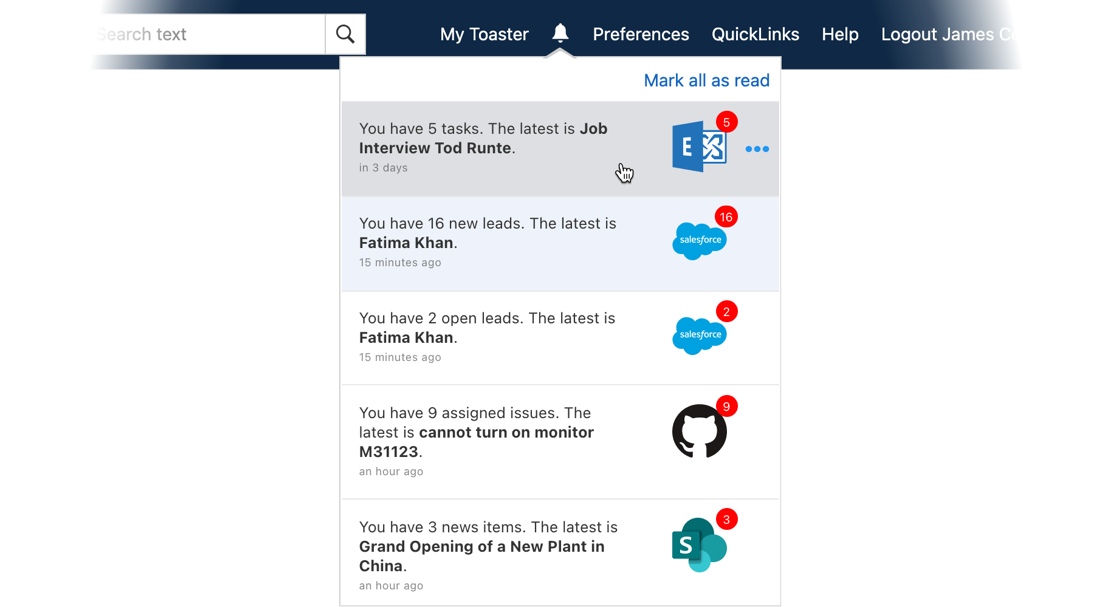
Integrates Exchange / Outlook Web Access inbox, calendar, tasks and contacts.
Reporting Services Integration
Embed SQL Server 2005/2008 reporting services created reports into any portal. The Reporting Services are a free Add-On from MS for SQL Server. You can use them to securely deliver pre-defined reports, so end users can easily access key reports in the context that is most relevant to them.
Remote Desktop Portlet
This is similar to the full Terminal Services Client except it's designed to deliver the functionality over the Web within the enterprise portal.
Google Search
Search tool for searching, displaying and using external content within your Intranet.
Mashup
Embed JavaScript code to combine data from two or more sources to create a new service.
Web Mail
The web-based mail app has user interface similar to Hotmail for easier adoption. All the basic e-mail features come included plus the following: * Unlimited number of attachments per e-mail. * Browser-safe viewing and HTML-formatted e-mail messages. * Option to display advanced message headers. * Users can have multiple POP3, IMAP4 and SMTP accounts. * Editor for creating rich text and HTML e-mails. * Advanced Address Book (not only contact informatin based on other intranet users) * Personal signatures. * Spam filtering options.
|
Usage Statistics
View statistics for visited topics and categories as well as sessions and page views for selected timeframe.
Customization
Employees can customize the look and feel with templates. CSS and XSL style sheets ensure corporate identity remains consistent across the enterprise portal.
Multilingual User Interface
IntelliEnterprise is available in the following languages: Chinese, Dutch, English, French, German, Polish, Portuguese, Russian and Spanish.
Role-based Security
Fine-grained role-based security controls the access permissions for all objects including categories, documents, portlets, applications, etc. Extensible security model allows for delegating partial administration rights to site administrators.
ActiveDirectory & LDAP
Option features include support of Single Sign On (SSO) based on Windows Authentication and automatic synchronization of User and Group Information with Active Directory Servers or LDAP Servers.
Scalability
The IntelliEnterprise Advanced Edition supports Web Farms, Clustering and Network Load Balancing (NLB). As traffic grows, you can add more servers to the cluster. NLB provides high availability time by automatically detecting the failure of a server and repartitioning client traffic to the remaining servers within ten seconds while providing continuous service.
Job Server/Scheduler
This is a Windows System Service that runs in the background and automates recurring and resource-intensive processes. You can scale out the job server(s) to dedicated servers.
|